Introducing AI Workout Time Estimates
Many members open your app with a number already in their head: how much time they've got today. Now the app meets them there. Every workout shows how long it takes, so members can quickly filter and find something that fits their schedule right now.
- Time Estimates on Every Workout, generated automatically
- A New Duration Filter so members can find a workout that fits their day
- Live Recalculation as members customize their workouts
- Full Coach Control with tools to adjust estimates
Time Estimates on Every Workout
Every workout now shows how long it takes, right on the card, so members can see at a glance what fits their day.
With the flip of a switch, we also bake in downtime for moving between exercises, reading form cues, catching your breath, etc. to make sure we don't undershoot the estimates. Times round up to the nearest 5 minutes, because finishing early is better than cutting a workout short.
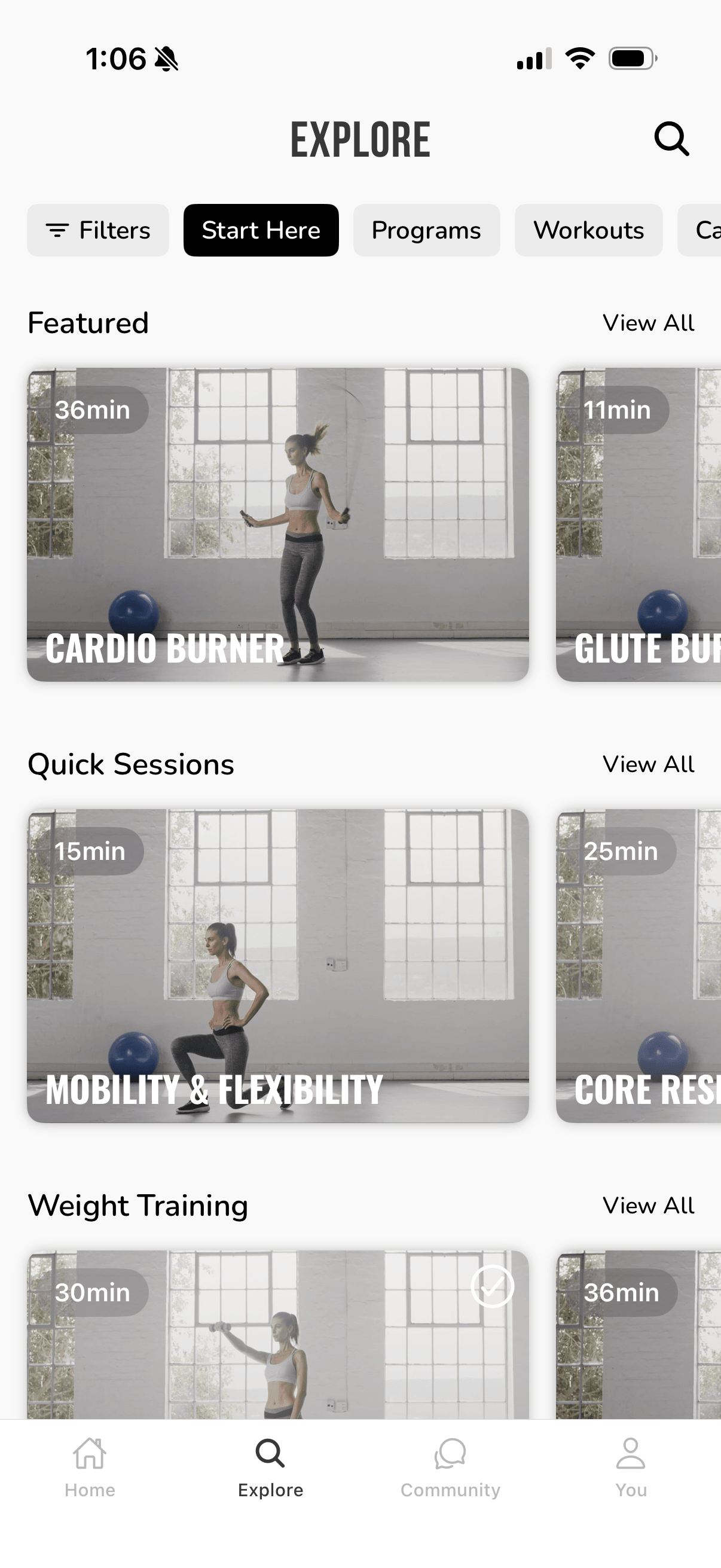
A New Duration Filter
Members can now filter Explore by duration, in ranges from under 10 minutes to over an hour. Like the other filters, you can hide this if you'd prefer.
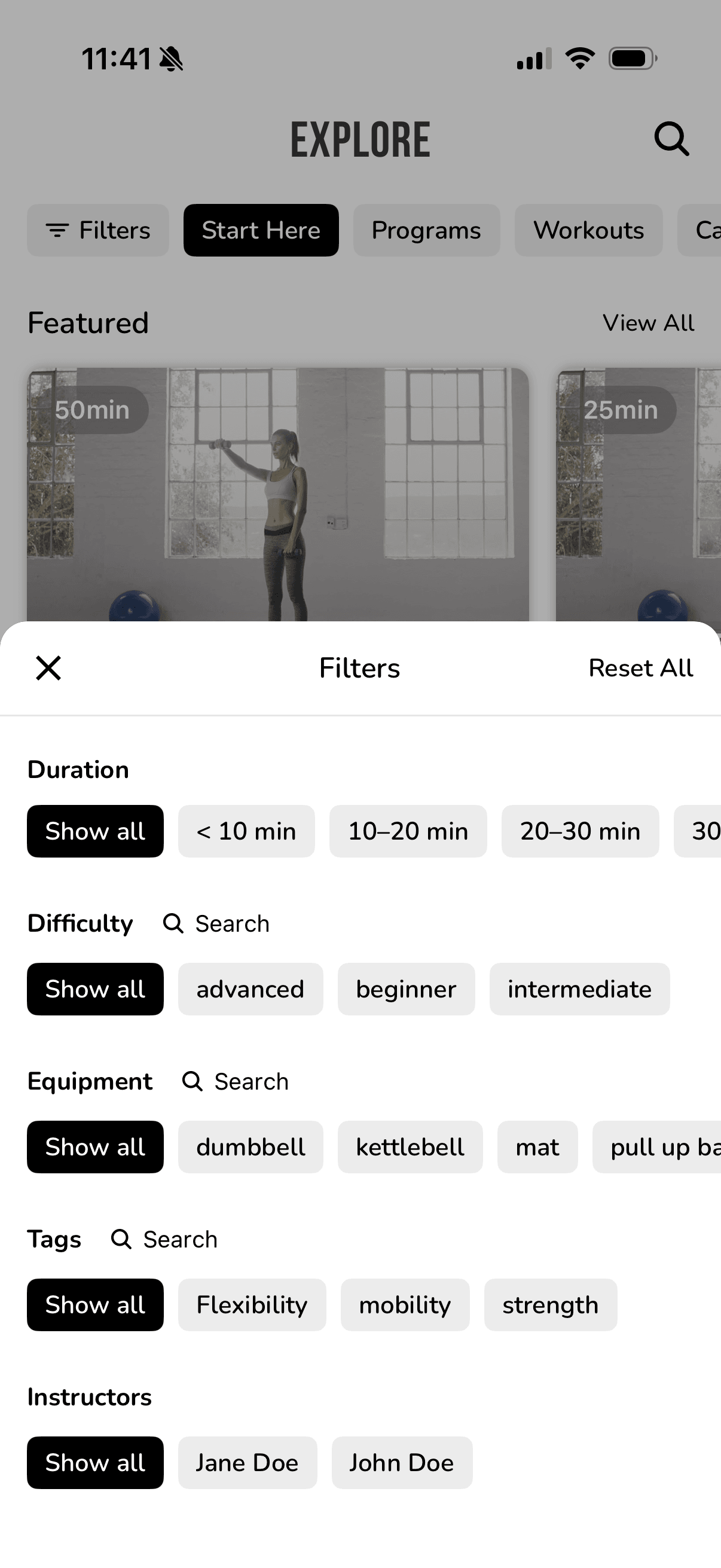
Time estimates are on by default. You can turn them off or on here.
Live Recalculation
Members love to make a workout their own. The moment they add a set, swap an exercise, or tweak a timer, the estimate updates on the spot, so the time always matches the workout they're about to do.
Full Coach Control
You no longer need to manually determine a length on every workout. And when you want to, you're still fully in control.
- Adjust any exercise's time, or set one total for the whole workout
- Your numbers always win, and the estimate fills in the rest
- Exercise time-per-rep estimates are used for automatic calculation
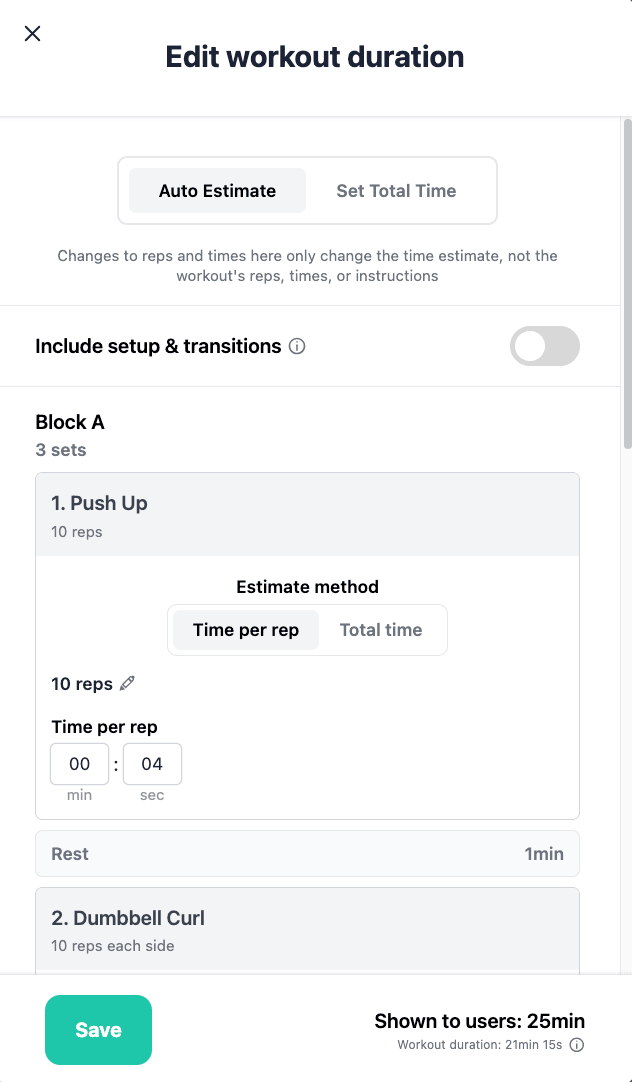
Live recalculation is disabled when one total time is set for the whole workout.
Already Done for You
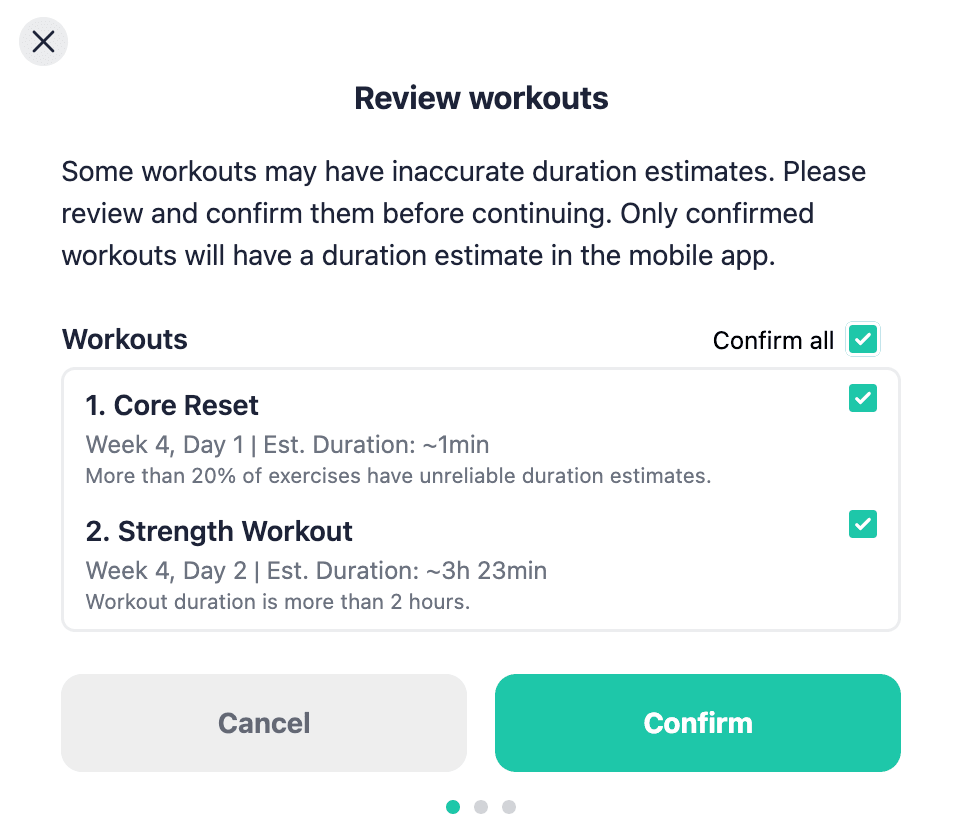
We've backfilled every existing workout to create a time estimate automatically, nothing for you to go back and fill in. When you open the dashboard, you'll be able to review and edit times and improve the estimate accuracy.
Summary
Every workout now gets an automatic time estimate. The times now update as members personalize their workouts, and you have the final say in how time estimates are calculated.