Introducing Community: A Social Feed, Coach Announcements & Push Notifications
We're excited to launch Community, a private social feed built right into your app. Members can post, reply, and support each other. You can share announcements, run live group calls, and stay on top of every conversation.
- The Community Feed where members post, reply, and like
- Coach Posts & Announcements with pinning, reply on or off, and links to content
- A "Needs Reply" Inbox to easily stay on top of your paid community
- Live Group Calls showcased right inside the feed
- Push Notifications that bring members back into your app
- Moderation & Safety Tools to keep your community healthy
The Community Feed
Once you enable the Community Feed here, members will find a new Community tab at the bottom of your app.
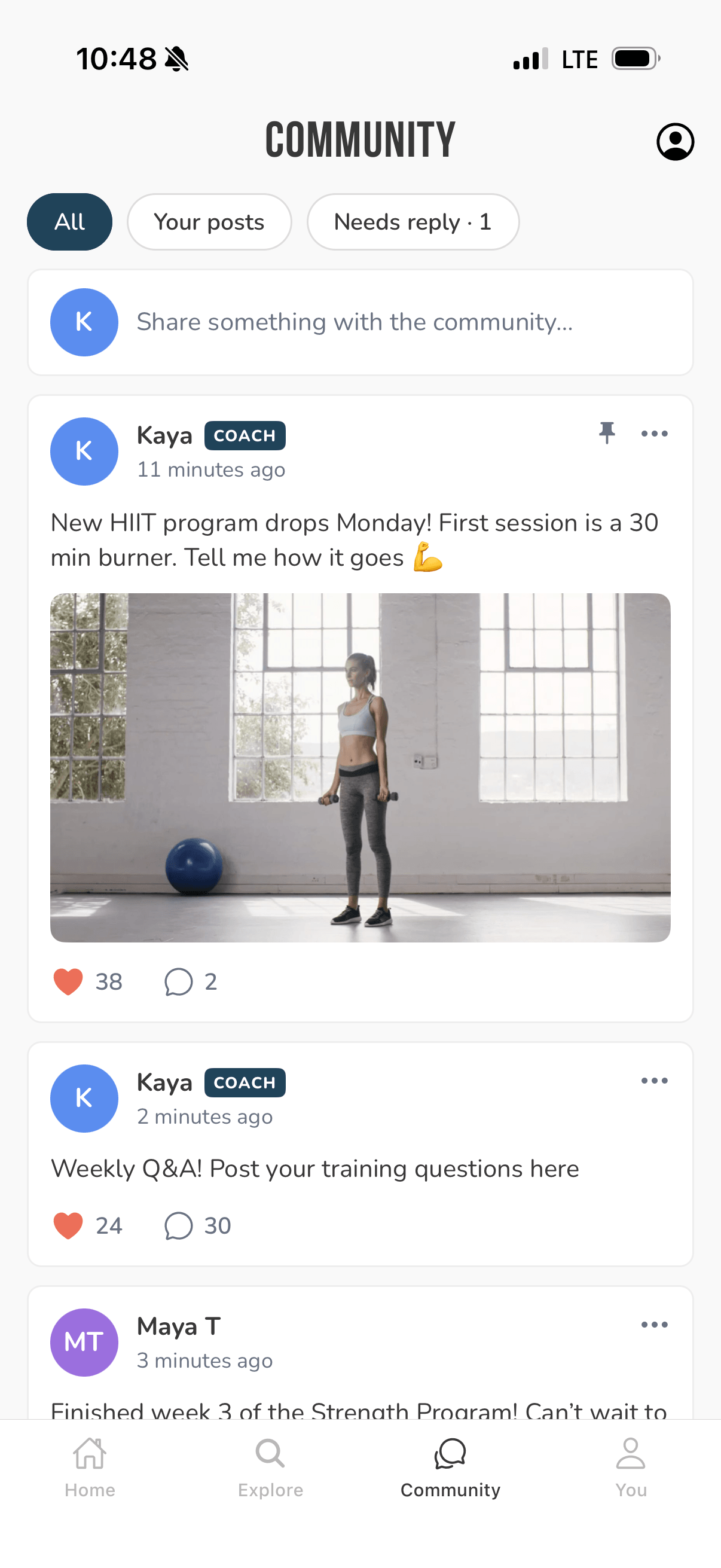
Inside, members can:
- Write posts and reply to each other
- Like posts and replies
- Set up a profile with a display name, a short bio, and a photo
Coach Posts & Announcements
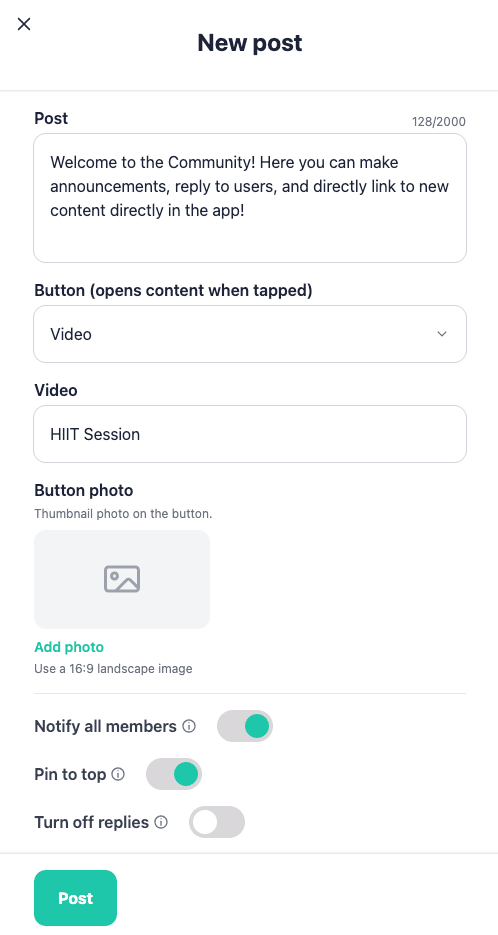
Your posts stand out with a COACH badge. When you write one, you get four options members don't have:
- Notify all members sends a push notification to every active member
- Pin to top keeps your post at the top of the feed for 30 days, or until you unpin it
- Turn off replies makes the post a one-way announcement
- Add a button leading to a video, program, workout, or link
The "Needs Reply" Inbox
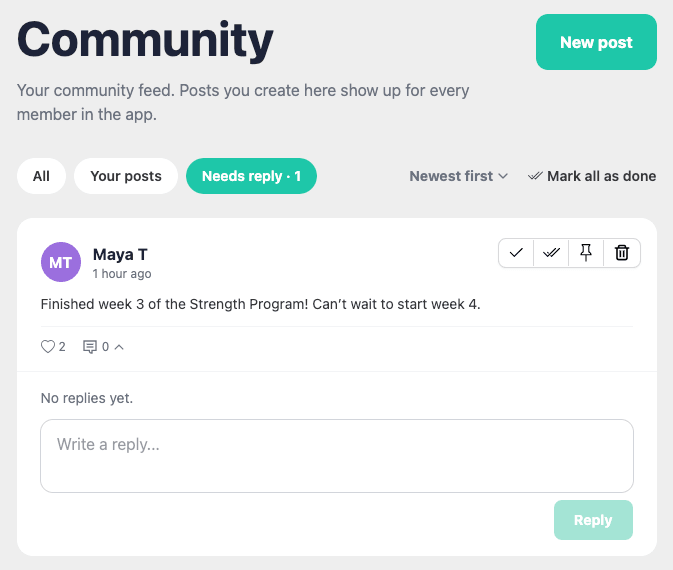
We made it easy to stay on top of your community with the "Needs Reply" inbox. Find just the messages that need your attention, and mark them as done one by one, or in bulk.
Live Group Calls
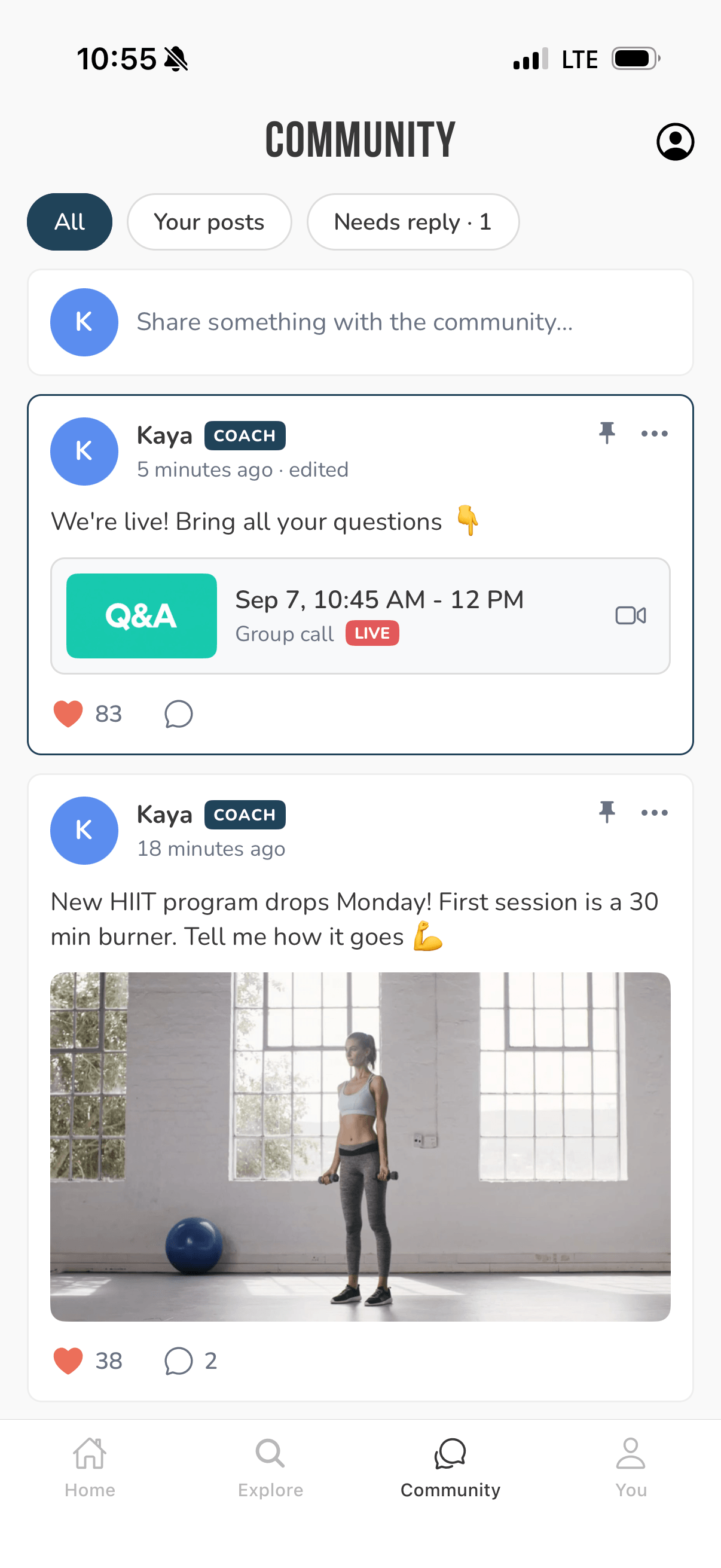
You can post a group call with a start time. When it goes live, the post gets a LIVE badge and moves to the top of the feed. A call card appears on the Home screen too. Members get a push that the call is starting, and one tap on "Join Call" brings them in.
Push Notifications
Pushes bring members back to your app. Here's what sends one:
- You post with "Notify all members" turned on
- Someone replies to a member's post
- A group call is starting
- A member posts or replies (this one goes to you, so you can jump in fast)
Likes never send pushes. They only light up the red dot in the app.
Members can turn coach post and reply notifications off in Settings. Both are on by default.
Pushes only go to active, paying members who agreed to turn on push notifications in the app. Members whose subscription has lapsed are never notified.
Moderation & Safety Tools
A healthy community needs guardrails, so we built the full set:
- Members agree to community guidelines before their first post
- Members can report any post, and block other members
- You can delete any post or reply
- You can ban a member. They can still use the app, but they can no longer post, and their content disappears from the feed. You can unban them anytime, and everything comes right back
- We have an automated system that detects spammers, bans them automatically, and flags our team for review
- You can tap a member's name to see their email, which helps when two members share a name or if needed for customer support inquiries
How to enable it
Community is off by default so you can turn it on when you're ready. Turn it on in your dashboard here.
Only active subscribers can see Community. That makes it a true members-only space, and one more reason to stay subscribed.
Summary
Community turns your app from a place members come for content into a place they come to connect. The feed and group calls bring your members together, announcements give you a direct line to your entire community, and the "Needs Reply" inbox makes it easy to stay on top of conversations that need your attention.